
Windows 下的相册软件找了很久都没啥好的,MT-Photo 收费我又不舍得。最近看到 Piwigo 好像还可以,装一个来试试。
准备
Piwigo
因为我用 IYUU,所以下了 phpstudy,这里就用了 phpstudy 面板。其他面板也可以
phpstudy
安装
下载并解压 Piwigo
安装 php8.0.2nts MySQL5.7.26 Nginx1.15.11
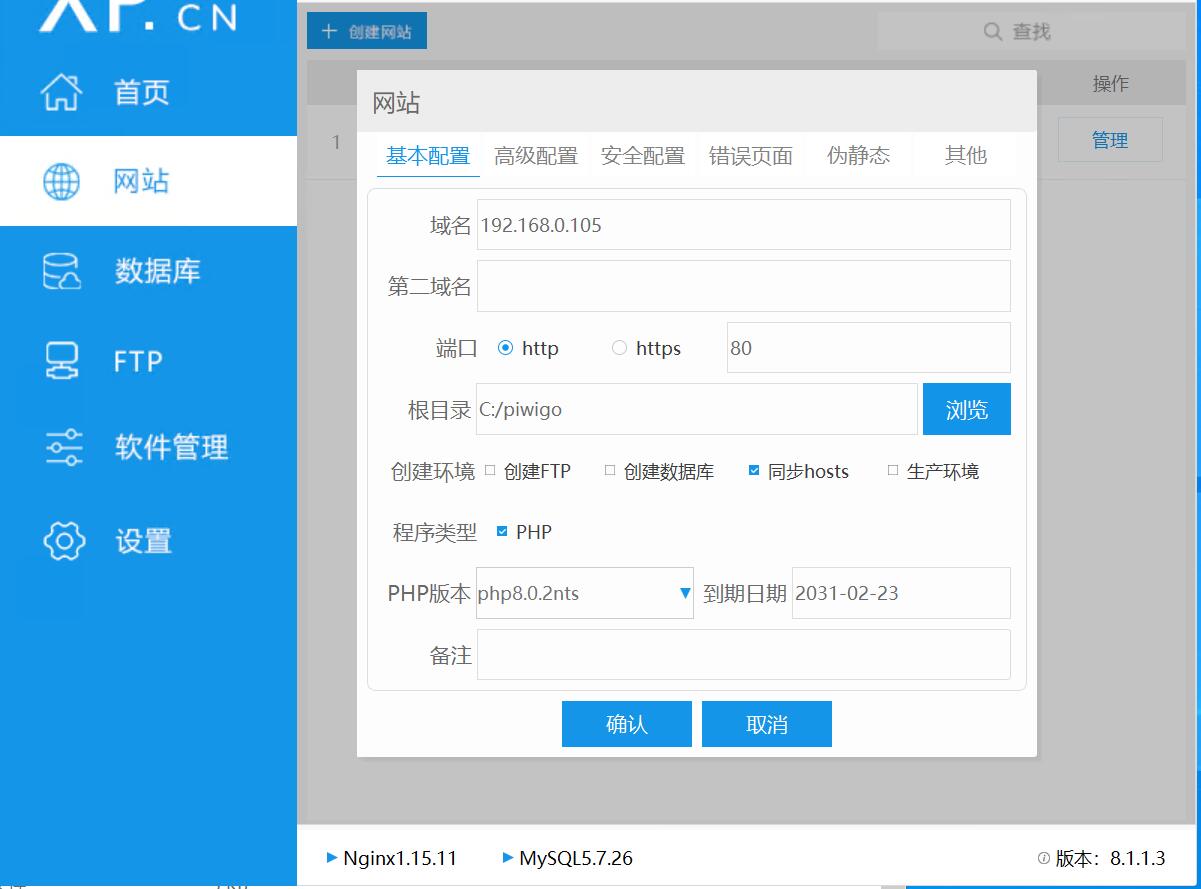
php8.2.9nts和php7.3.4nts我测试无法访问,换了php8.0.2nts才行
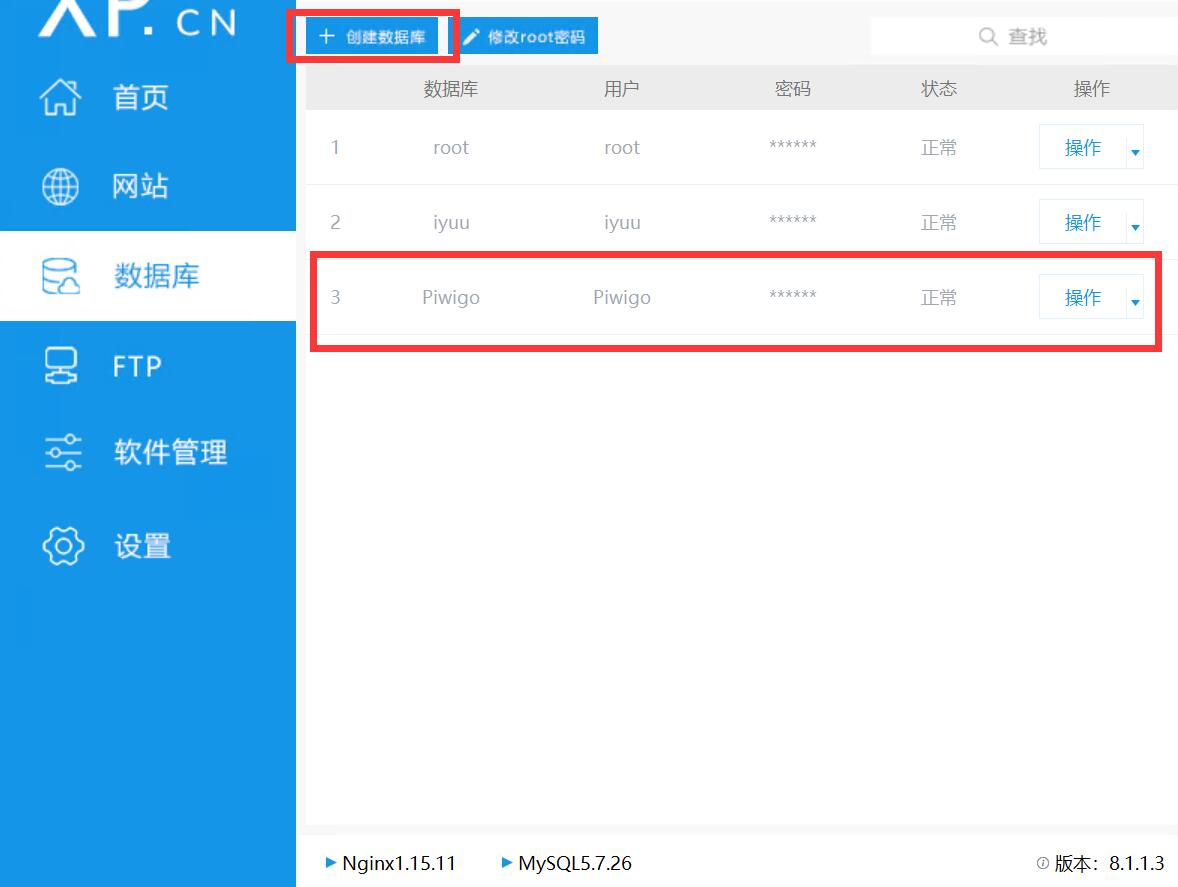
新建数据库
创建网站,按自己需求配置
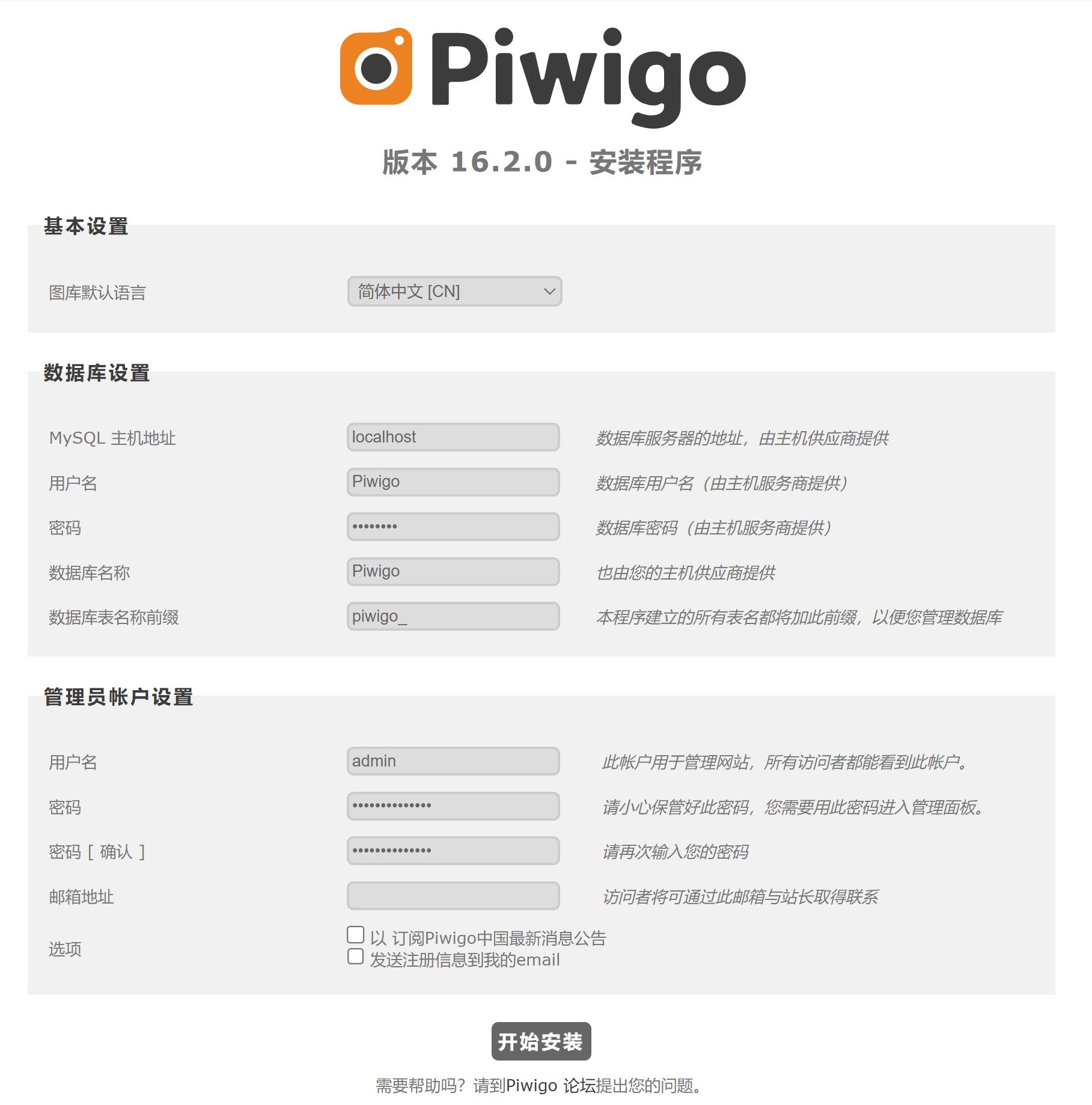
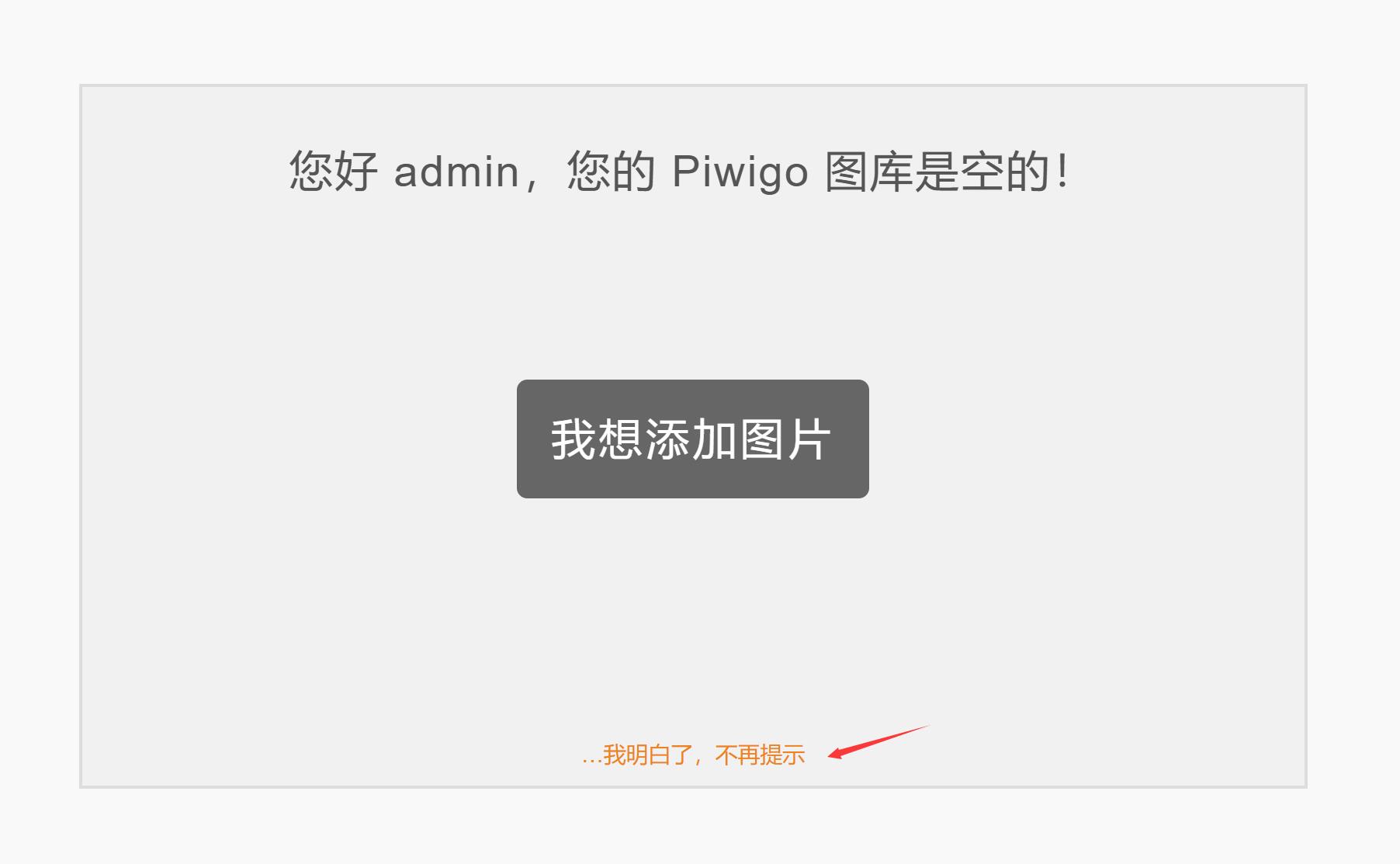
打开网页安装 Piwigo
打开后台-插件-LocalFiles Editor 或者直接修改文件
把piwigo\include\config_default.inc.php里面的
$conf['sync_chars_regex'] = '/^[a-zA-Z0-9-_.]+$/';
修改为
$conf['sync_chars_regex'] = '/^[a-zA-Z0-9-_.\x00-\xff]+$/';
让 Piwigo 支持中文目录名和文件名,用 // 注释掉添加也行
添加相册
因为我用 Syncthing 同步相册不需要 Piwigo 上传。所以直接做了一个链接
打开 CMD 输入
mklink /J C:\piwigo\galleries D:\photo
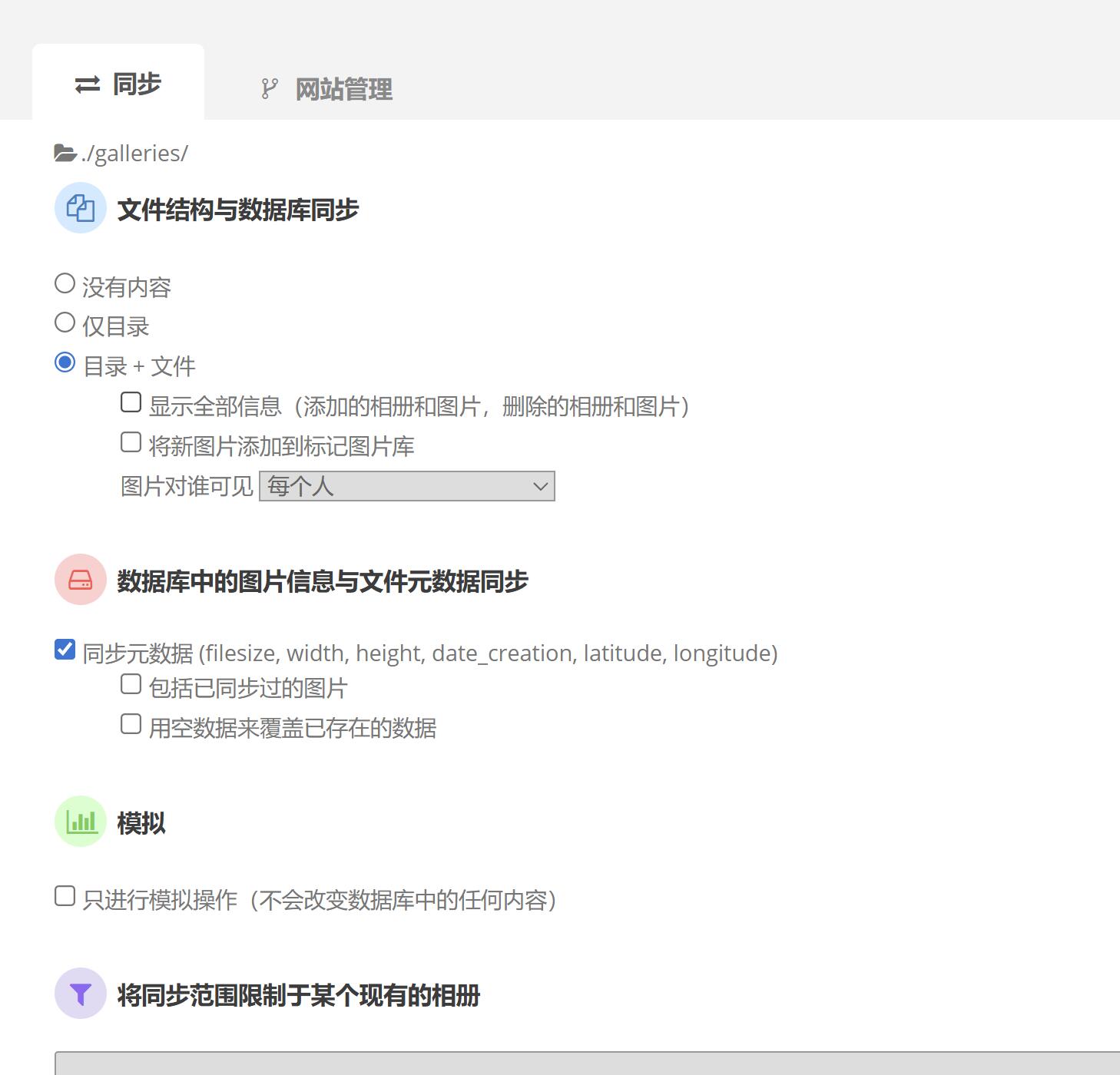
然后在 Piwigo 后台-工具-同步,选择目录+文件,取消勾选模拟,点击提交。
#安装 videojs 插件添加视频支持
我在后台直接安装网络抽风了,只能手动安装了。安装方法
下载解压 ExifTool ffmpeg 和 ffprobe
LocalFiles Editor插件添加
/* File extensions — to allow video and other file types */
    $conf['file_ext'] = array_merge(
        $conf['picture_ext'],
        array('heic','tif','tiff','mp4','m4v','mpg','ogg','ogv','webm','webmv')
    );
    $conf['graphics_library'] = 'ext_imagick';
    $conf['upload_form_all_types'] = true;

    /* File names — to allow special characters */
    $conf['sync_chars_regex'] = '/^[a-zA-Z0-9-_. ]+$/';

/* VideoJS — to add video metadata support */
    $conf['show_exif'] = true;
    $conf['show_exif_fields'] = array(
      'date_creation',
      'formatprofile',
      'latitude',
      'longitude',
      'rotation',
      'Artist',
      'AspectRatio',
      'AudioBitsPerSample',
      'AudioChannels',
      'AudioCodecID',
      'AudioCodecInfo',
      'AudioSampleRate',
      'Author',
      'AvgBitrate',
      'Contrast',
      'DateTimeOriginal',
      'Description',
      'Duration',
      'DurationSeconds',
      'ExifVersion',
      'ExposureBiasValue',
      'ExposureMode',
      'ExposureProgram',
      'ExposureTime',
      'FileSize',
      'FileType',
      'Flash',
      'FNumber',
      'FocalLength',
      'FocalLengthIn35mmFilm',
      'Genre',
      'ISOSpeedRatings',
      'LightSource',
      'Make',
      'MeteringMode',
      'MIMEtype',
      'Model',
      'Resolution',
      'Saturation',
      'Sharpness',
      'Software',
      'Title',
      'VideoBitrate',
      'VideoCodecID',
      'VideoCodecInfo',
      'VideoFrameRate',
      'WhiteBalance',

//根据个人实际填写
$conf['vjs_exiftool_dir'] = 'C:\exiftool\exiftool.exe ';
$conf['vjs_ffprobe_dir'] = 'C:\ffprobe\ffprobe.exe ';
$conf['ffmpeg_dir'] = 'C:\ffmpeg\ffmpeg.exe ';
    );
保存之后在 Piwigo 后台-工具-同步,选择目录+文件,取消勾选模拟,点击提交。即可添加视频播放
总结
体验下来只是能用,将就将就得了。其他的以后再说吧